
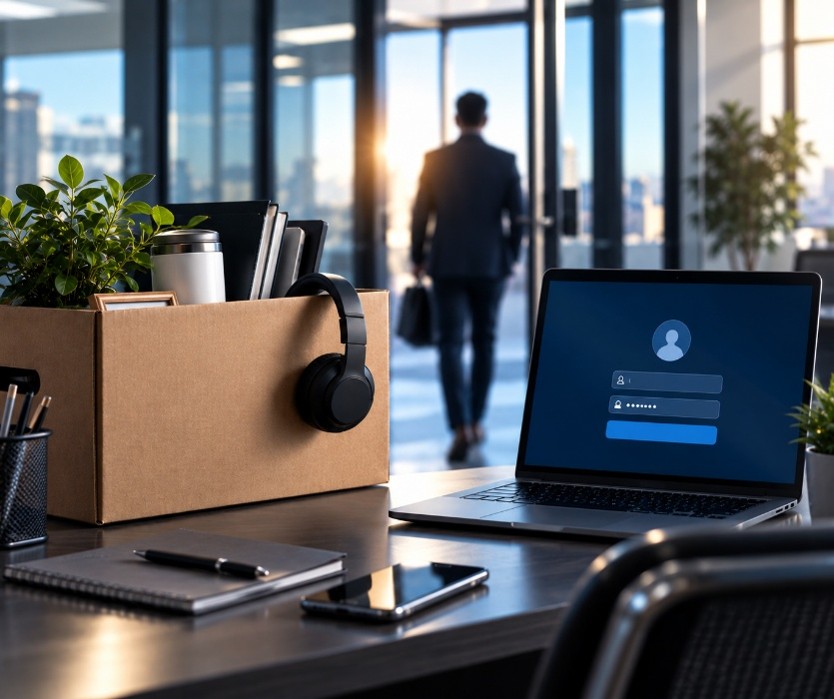
The Employee Who Left Still Has Access. Now What?
When an employee leaves your company, there’s usually a checklist.
Collect their keys. Retrieve company equipment. Process final paperwork. Notify the team. Transfer responsibilities.
But there’s one critical step that can easily be overlooked: removing their access to your technology.
Today, an employee’s access can extend far beyond their company email. They may have credentials for Microsoft 365, cloud applications, shared drives, customer databases, accounting platforms, VPNs, password managers, collaboration tools, and dozens of other systems.
If that access remains active after they leave, your business could be exposed without even realizing it.
That’s why employee offboarding shouldn’t simply be an HR process. It should be a coordinated HR and IT process and having the right technology partner can make that transition significantly smoother.
Access Should End When Employment Does
Ideally, an employee’s access should be disabled as soon as their employment ends.
That sounds simple. In reality, businesses often use more applications than they realize.
Think about everything an employee might access during a typical workday: email, Teams, cloud storage, CRM software, accounting systems, line-of-business applications, remote access tools, social media accounts, shared passwords, and vendor portals.
If there isn’t a documented offboarding process, something can easily be missed.
An old account may remain active for weeks or months simply because nobody remembered it existed.
Email Is Only the Beginning
Disabling an employee’s email account is important, but it isn’t the same as completely removing their access.
Former employees may still have active sessions on personal devices. Their credentials may work with cloud applications connected to the company’s Microsoft account. Files may be synchronized to another computer or mobile device.
Businesses also need to consider what happens to the employee’s email and files after departure.
Who needs access to important messages? Should incoming email be forwarded? Who takes ownership of documents stored in the employee’s account?
A well-planned offboarding process protects the business while ensuring important information doesn’t disappear with the employee.
Don’t Forget Cloud Applications
One of the biggest offboarding challenges today is the sheer number of cloud applications businesses use.
Departments can adopt software without IT always knowing about it. Employees may create accounts using their company email addresses, and teams sometimes share logins because it seems convenient.
Over time, this creates an access problem.
When someone leaves, you need to know what they had access to before you can remove it.
Maintaining an accurate inventory of applications, accounts, permissions, and licenses makes offboarding much easier and can help identify unnecessary software expenses at the same time.
Shared Passwords Create Another Problem
Shared credentials can make an employee’s departure particularly complicated.
If several people use the same username and password for a system, simply disabling the former employee’s individual account isn’t an option.
Passwords may need to be changed immediately.
Better yet, businesses should reduce their reliance on shared credentials whenever possible and use individual accounts, role-based permissions, multifactor authentication, and secure password-management practices.
That creates accountability while making access easier to control when someone’s role changes or employment ends.
What About Company Devices?
Laptops, phones, tablets, security keys, and other company-owned devices should also be part of the offboarding process.
Retrieving the equipment is only one step.
Technology may need to remove accounts, protect company data, preserve necessary files, wipe devices, update security settings, and prepare equipment for another employee.
For remote employees, the process can become even more complicated. There should be a plan for returning equipment and securing access even when the employee is hundreds of miles away.
Offboarding Shouldn’t Start After Someone Leaves
The best offboarding processes are created before they’re needed.
HR and IT should have a defined workflow that answers questions such as: Which systems should be disabled? Who notifies IT? When should access be removed? Who receives the employee’s files? What equipment needs to be returned? Which passwords need to change?
For some departures, IT may have advance notice. In other situations, particularly unexpected or involuntary terminations, timing may need to be carefully coordinated.
That’s where having an established process becomes especially valuable.
A Technology Partner Makes the Transition Easier
For many small and midsized businesses, keeping track of every account, device, license, and permission internally can be difficult.
A managed IT partner like ZTek Solutions can help make employee transitions much more organized.
Instead of someone in the office scrambling to remember which accounts need to be shut down, your technology partner can help maintain documentation, manage user accounts, coordinate device access, adjust permissions, revoke sessions, and follow a consistent offboarding process.
The same approach can improve onboarding, too.
When a new employee starts, the right access can be provisioned based on their role. When they change positions, permissions can be adjusted. And when they leave, that access can be removed in a coordinated way.
The result is a cleaner technology environment and fewer loose ends.
Don’t Let Former Employees Become Forgotten Users
Most lingering accounts aren’t left active intentionally. They’re simply overlooked.
But from a security standpoint, an unused account can still represent an unnecessary point of access to your business.
Employee departures are inevitable. The security gaps that sometimes follow them don’t have to be.
ZTek Solutions can help your business create a more consistent approach to onboarding, offboarding, account management, and IT security, so when an employee’s last day arrives, you’re not wondering what you forgot to turn off.
ZTek Solutions is a Managed Service Provider based out of Miami Lakes, FL has over 60 years of combined experience in designing, implementing, securing, and managing IT Infrastructure at all levels. Solutions include Managed IT, Cybersecurity, IT Consulting, Cloud Services, Structured Cabling, Video Surveillance, Telecommunications, and Compliance.